
NetSuite AI Units: What You Get, What Spends Them, and Who Controls Them
The sentence most people have heard is that NetSuite now includes 1,000 AI Units per user per month at no extra cost. That is close enough to be repeated and wrong enough to matter.
It is not a monthly allowance, and it is not per user. Oracle provisions the whole term upfront into one account-level pool that everybody draws from. There is no personal budget, no departmental budget, and no way to set one.
For most companies this will be a non-event. The allowance is genuinely generous for ordinary use. The risk sits in two specific places, and both are worth understanding before somebody turns something on.
What You Actually Get
Oracle grants 1,000 AI Units per month of term, provisioned upfront into the customer AI Unit Pool, for each eligible user licence. The wording matters more than the number.
Oracle's own worked example makes it concrete: a customer signing a 36-month term with 10 General Access users receives 360,000 AI Units on day one, for the whole term.
Three consequences follow, and none is obvious from the headline:
It does not reset monthly. The pool is the term, not the month. Spend heavily in month two and month thirty has less available.
It is not reserved per person. Oracle states that AI Units are shared across the organization and tracked at account level. One analyst, one script, or one agent can draw on the entire balance.
It expires. Unused units expire when the NetSuite term expires. They do not roll over.
Which licences generate units is narrower than people assume. Oracle lists General Access users, Social Impact users and the Social Impact three-user bundle. Sandboxes receive a separate pool equal to production, and development environments receive their own. Employee Center and other limited user types are not on the list, so a company with many light users and few full ones has a smaller pool than headcount suggests.
What Spends Them
Oracle publishes estimates for nine features and labels them as estimates:
| Feature | Estimated AI Units |
|---|---|
| Ask Oracle, simple question | about 10 |
| Ask Oracle, analysis question | 10 to 50 |
| Ask Oracle, research question | 50 to 200 |
| Case Summary | 5 to 75 |
| Narrative Insights | 5 to 200 |
| Prompt Studio, testing a prompt | 5 to 10 |
| SuiteScript N/llm call | 5 to 25 |
| Text Enhance | 5 to 10 |
| Transaction Matching Assistant | 5 to 10 |
Several things are explicitly exempt. Oracle states that add-on modules including Bill Capture, EPM and Analytics Warehouse do not consume AI Units, because they are licensed separately. More interestingly, the NetSuite AI Connector does not consume them either. Work you push through the Connector to Claude or ChatGPT runs on your AI provider meter instead, which makes where a task runs a budgeting decision rather than only a technical one. That route is how I ran a read-only review of two years of books without touching the unit pool at all.
What is not on the list deserves care. Oracle never says that unlisted features are free, and the announcements from SuiteWorld 2026 arrived without unit estimates attached. SuiteSkills, AI Portlets, AI Workspaces and the industry agents are all live, and none of them appears on Oracle's estimates page. Read that as a gap in the documentation rather than evidence they are free.
What I Measured
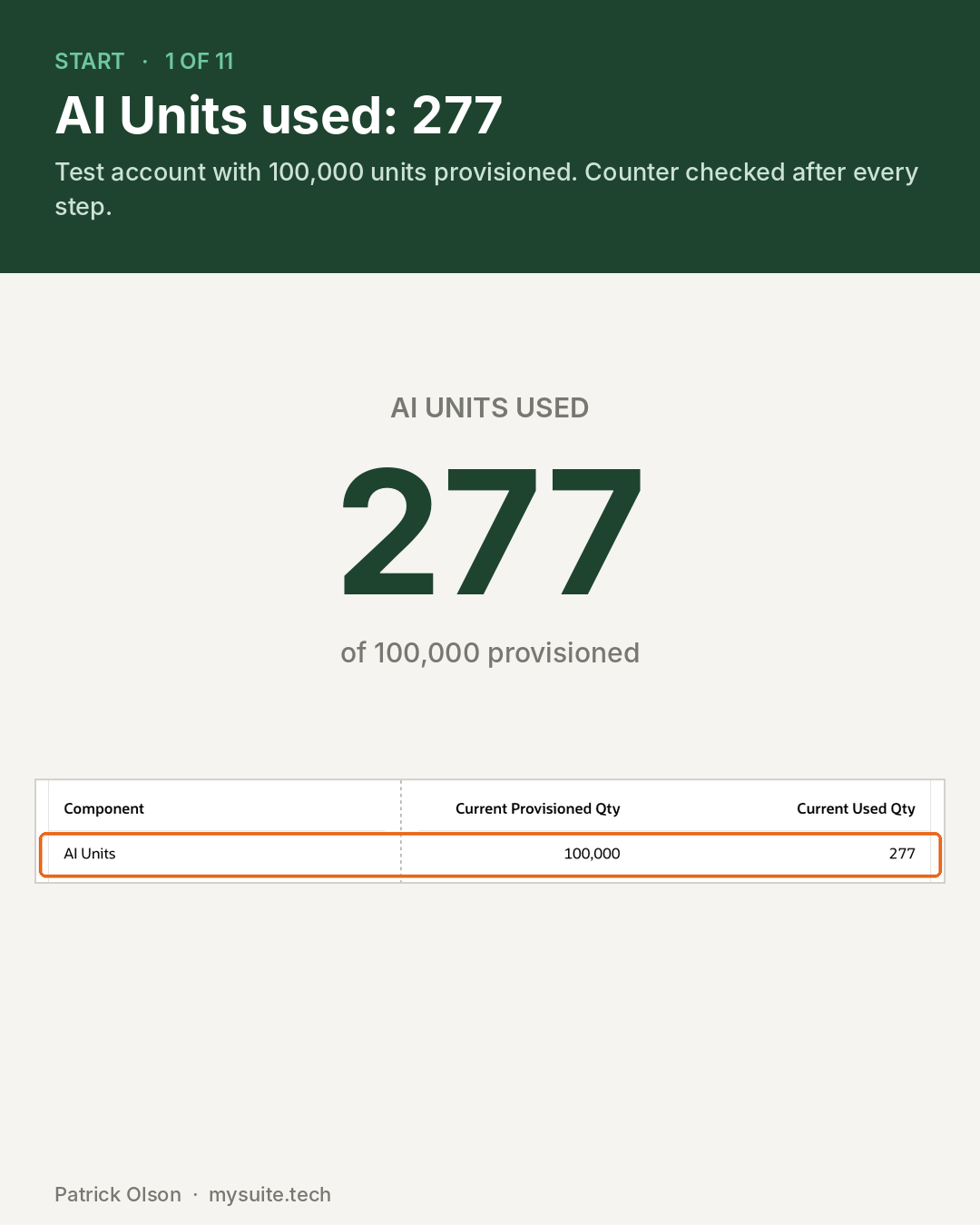
Oracle publishes estimates for nine features. The ones announced at SuiteWorld are not among them, so I ran five actions in a test account with 100,000 units provisioned and read the counter on the Billing Information page after each one.
| Step | Action | Units used | Oracle estimate |
|---|---|---|---|
| Start | Counter before anything | 277 of 100,000 | not applicable |
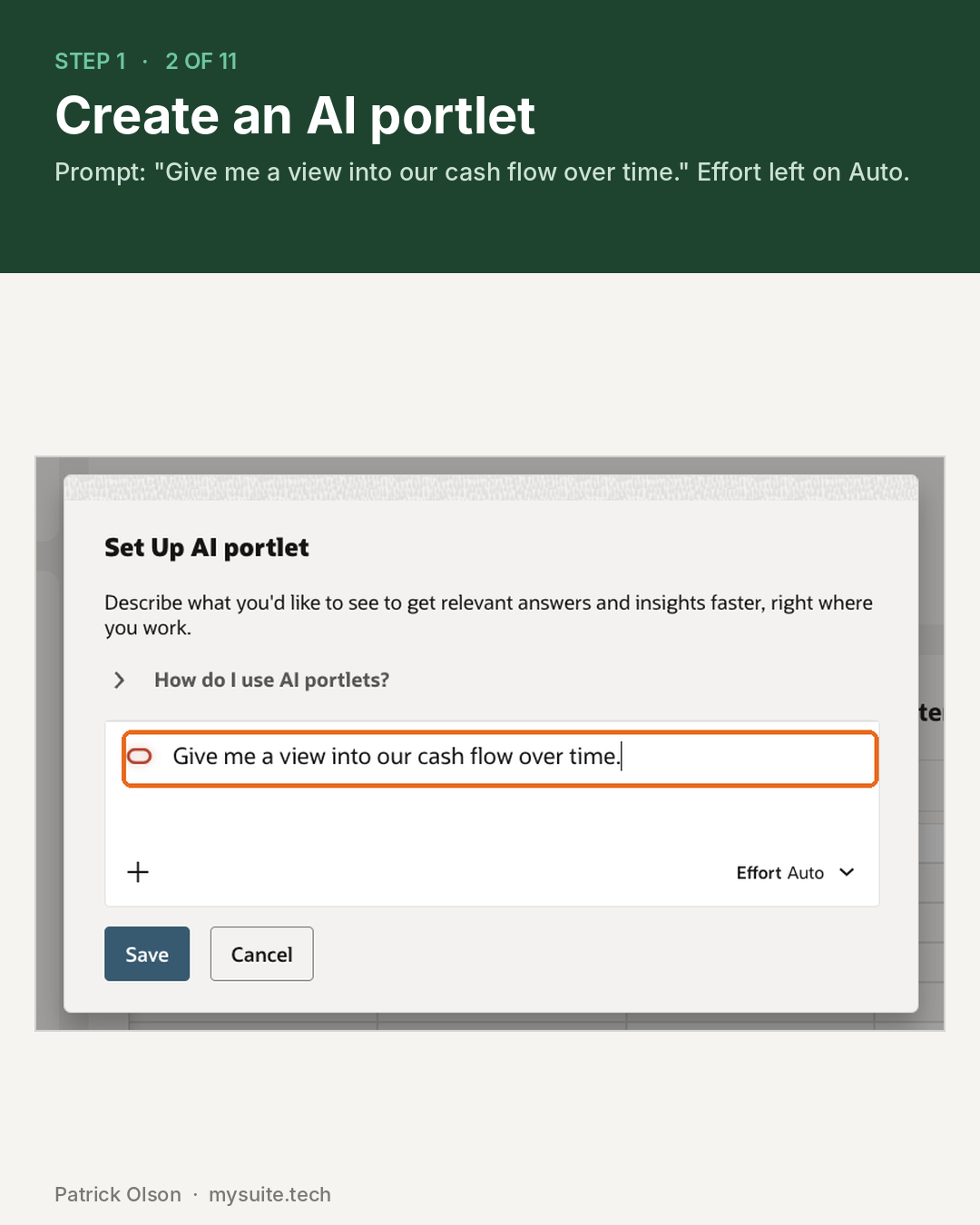
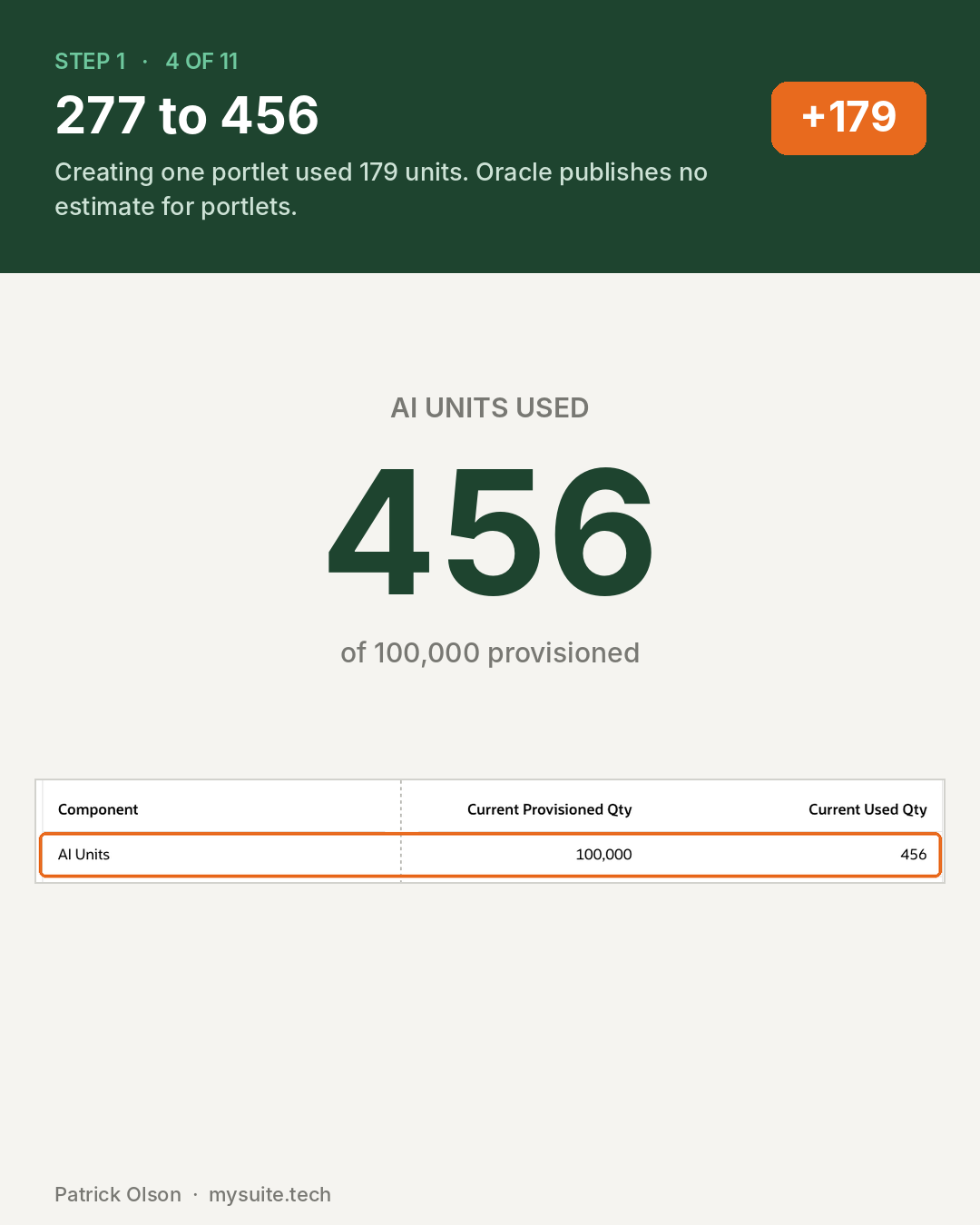
| 1 | Create an AI portlet, prompt "Give me a view into our cash flow over time", effort on Auto | 179 | none published |
| 2 | Ask Oracle, "How do I approve a bill?" | 9 | about 10 |
| 3 | Ask Oracle, "Show me a list of all customers with past due balances" | 126 | 50 to 200 |
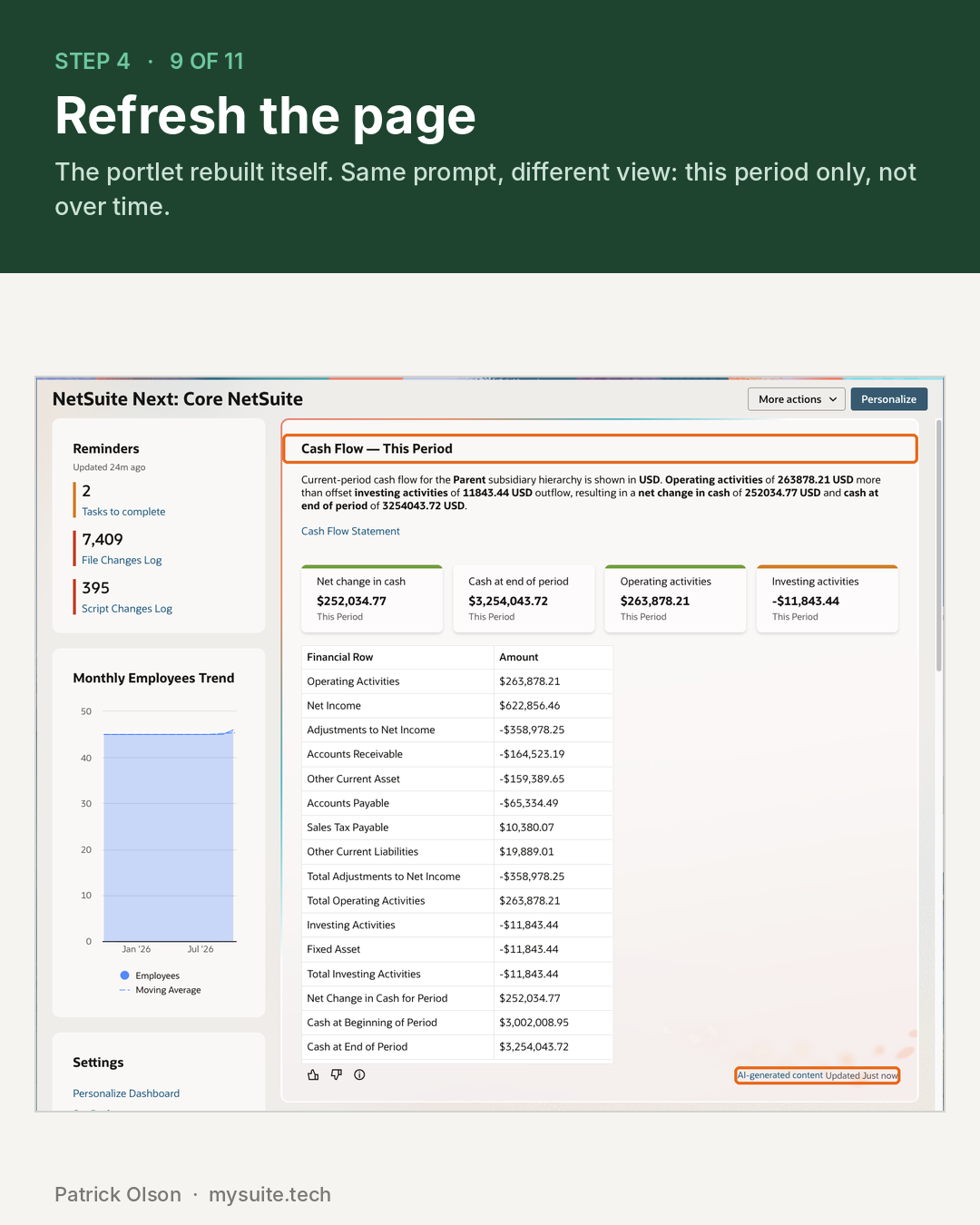
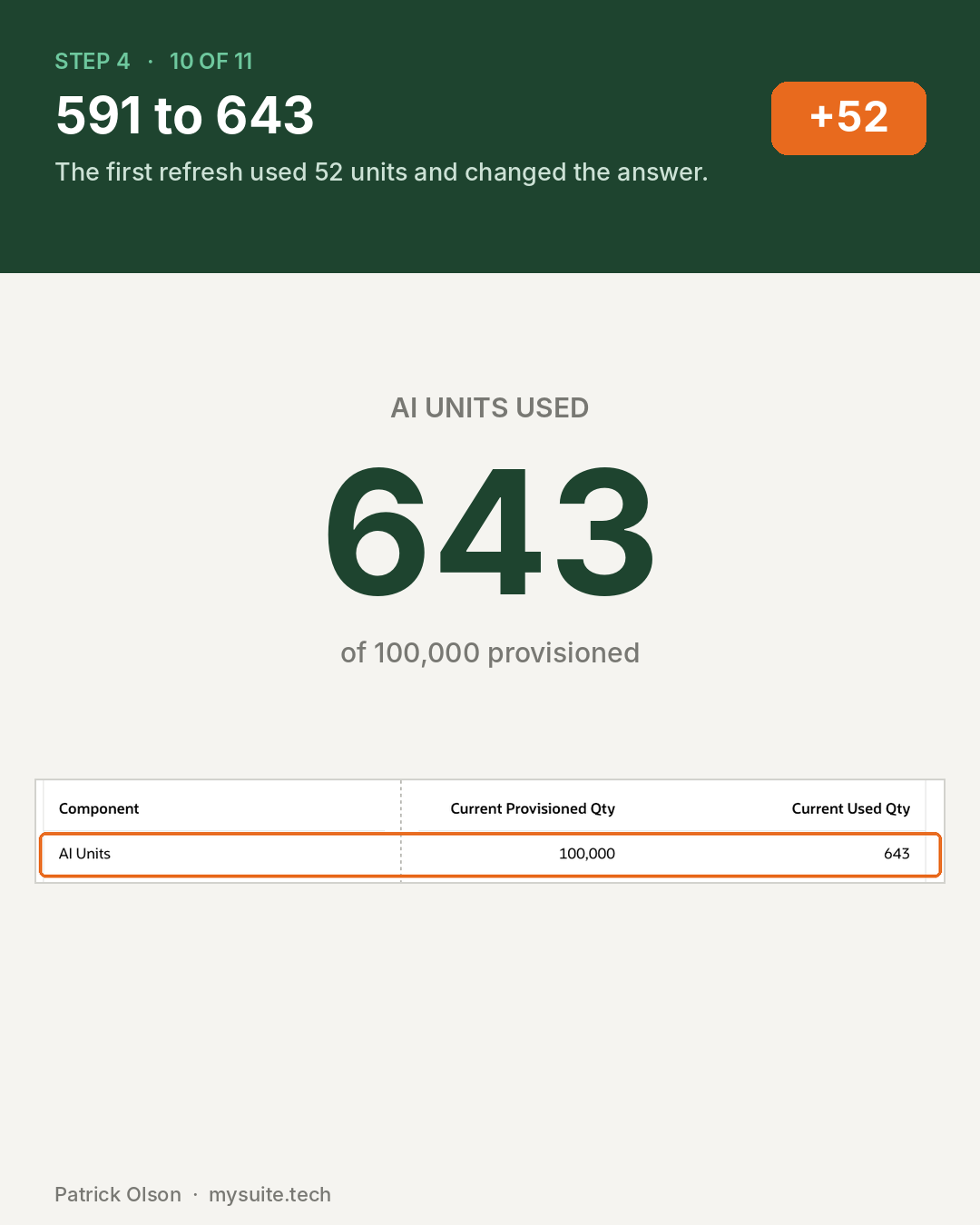
| 4 | Refresh the dashboard page | 52 | none published |
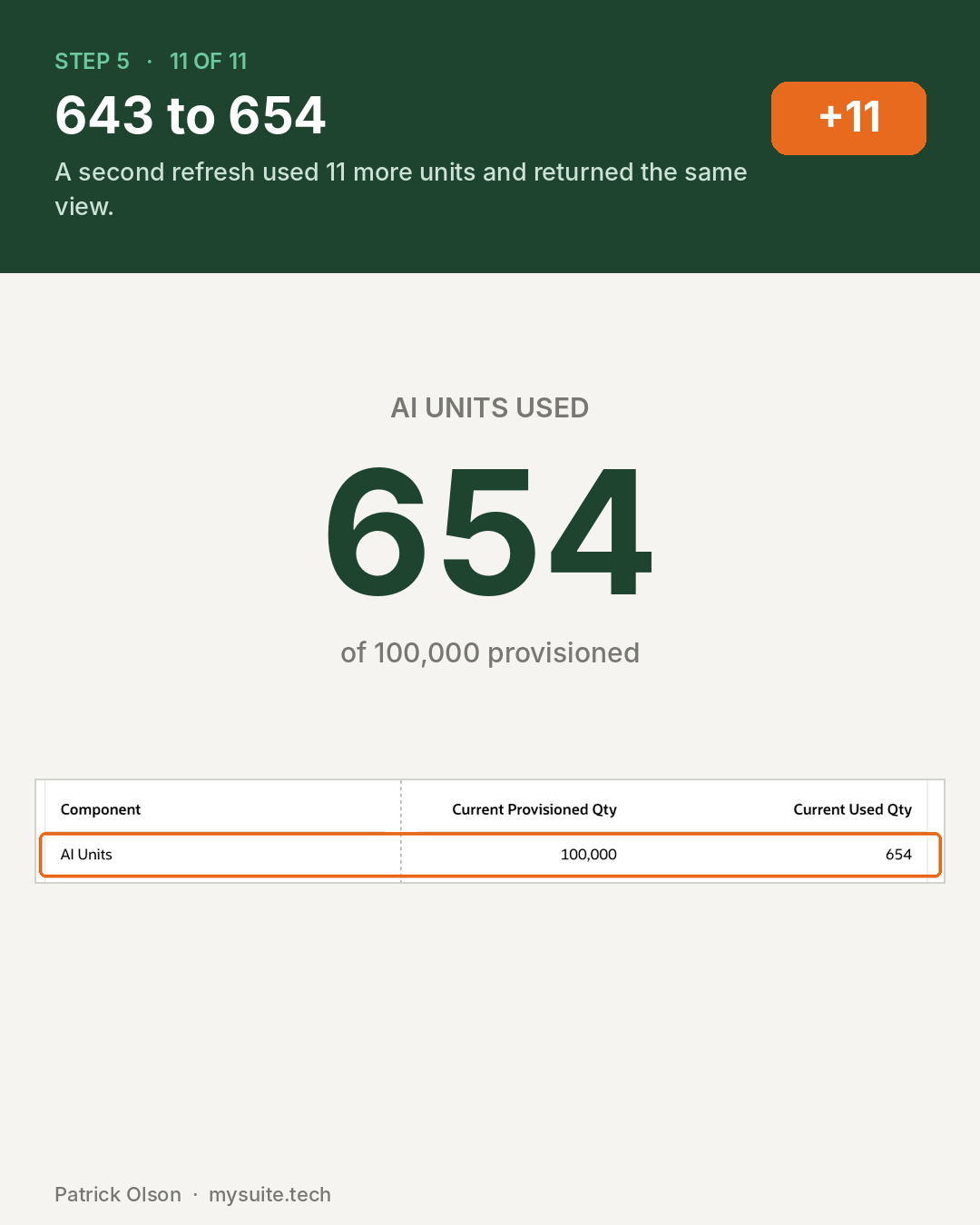
| 5 | Refresh it again | 11 | none published |
Five actions, 377 units.
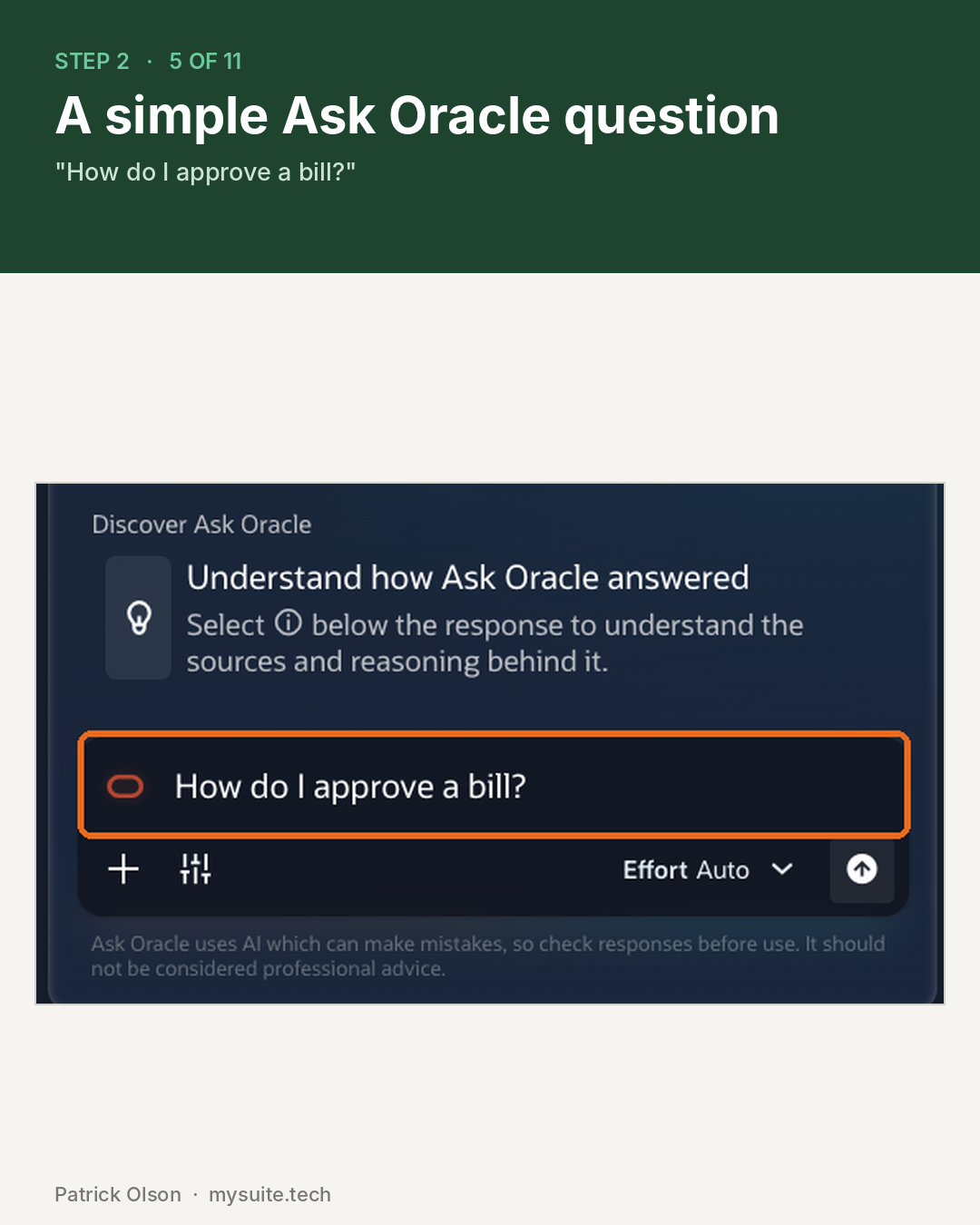
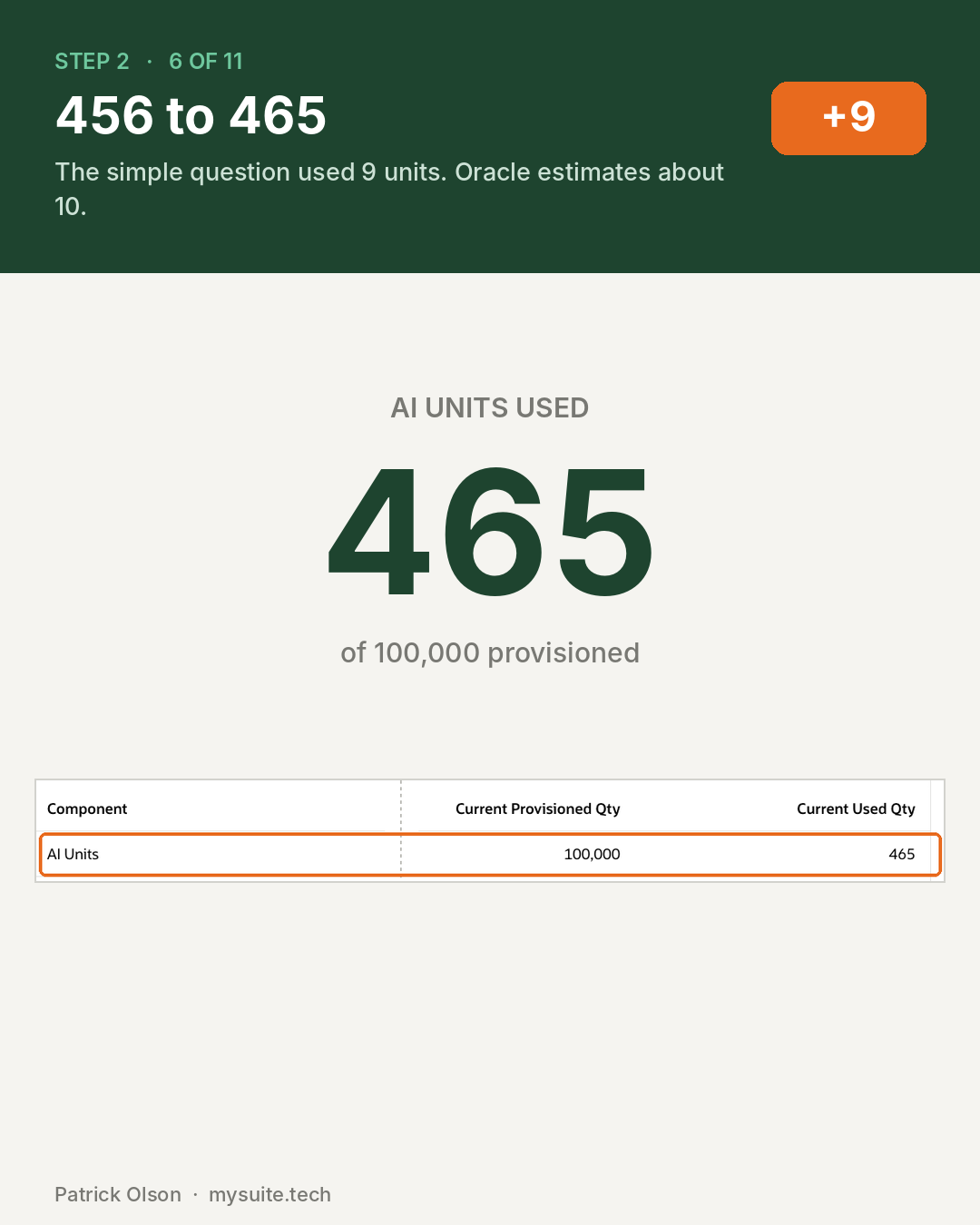
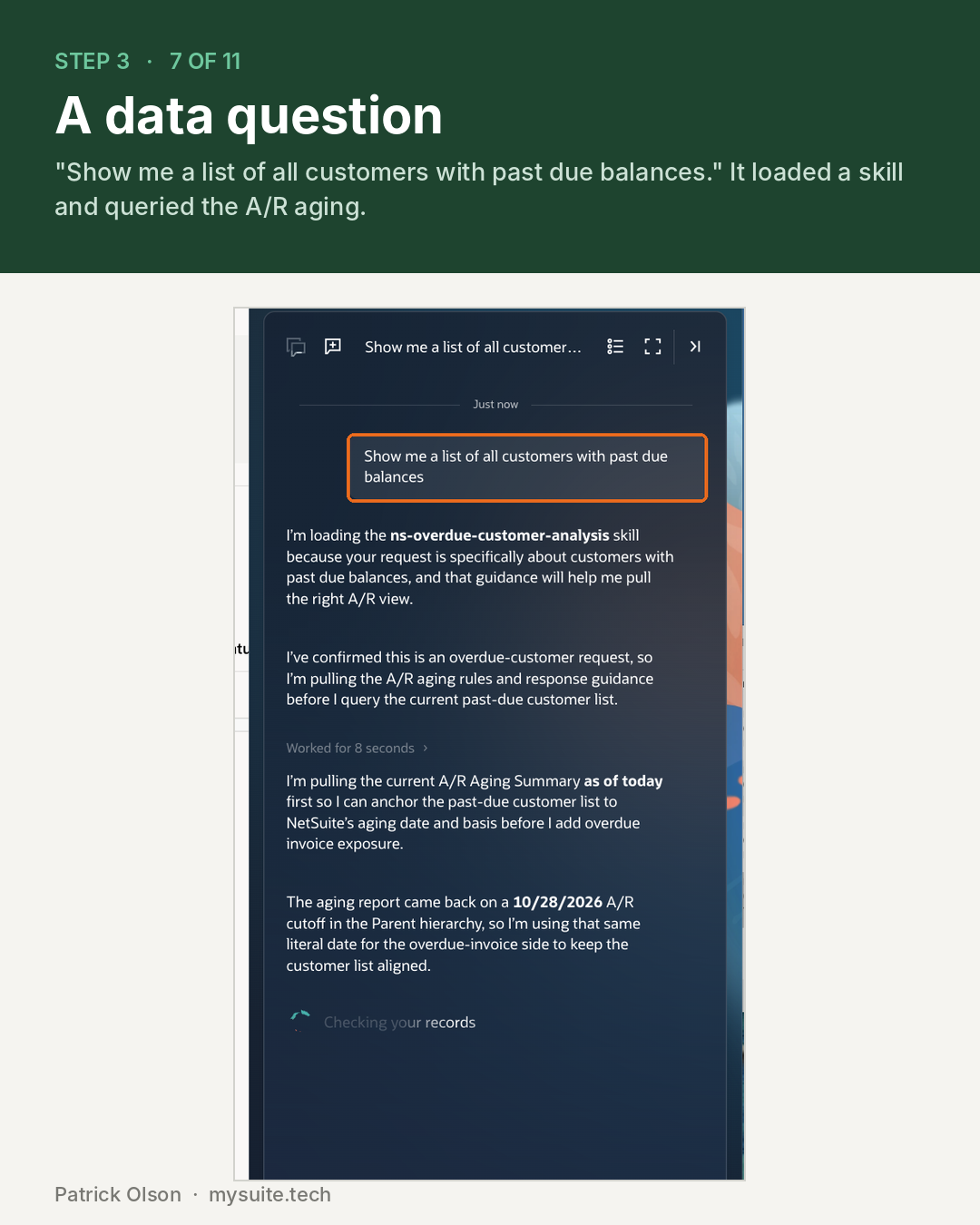
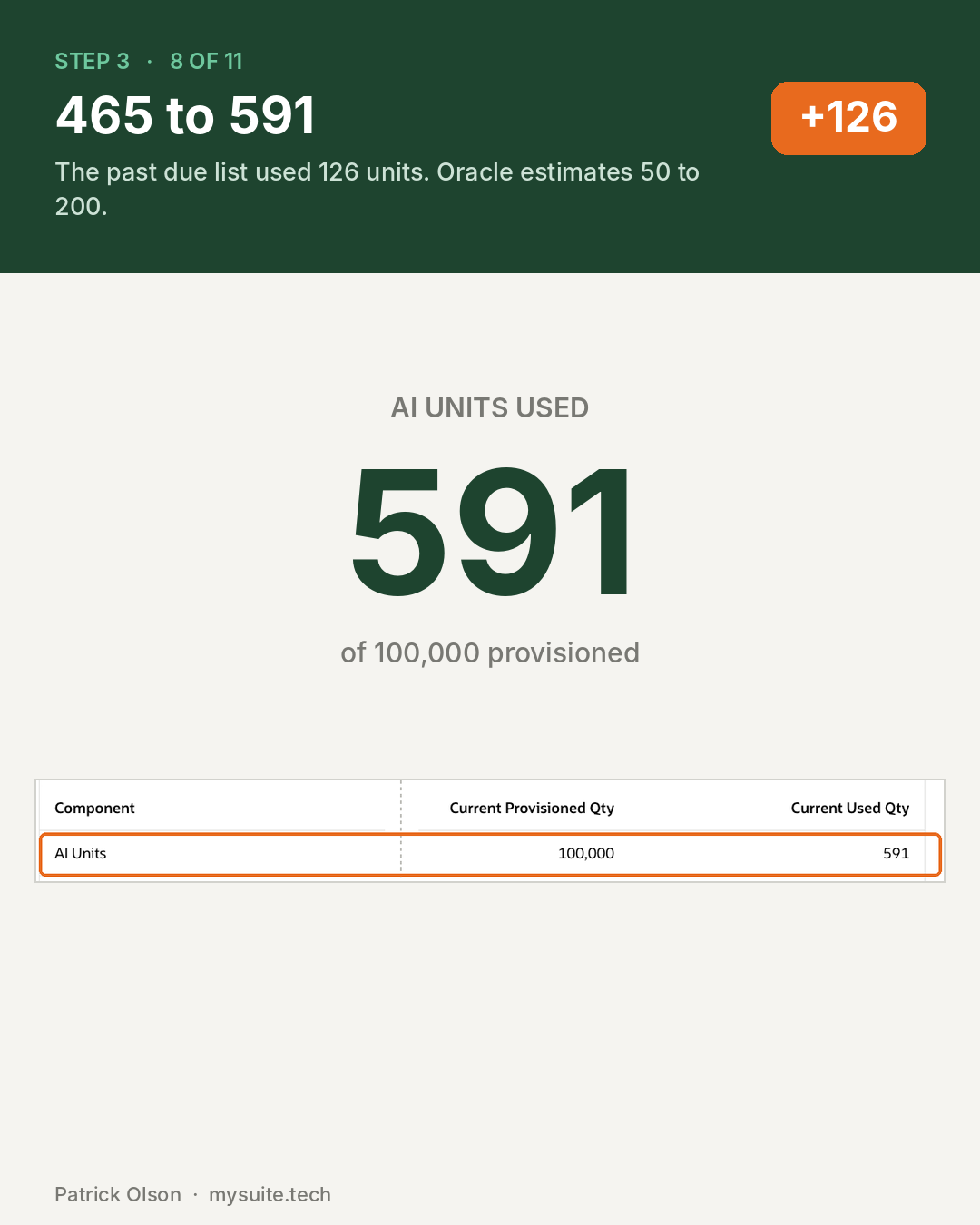
Oracle's published numbers held up. The simple question came in at 9 against an estimate of about 10. The past-due list came in at 126 against a range of 50 to 200. Where Oracle publishes an estimate, it appears to be honest, which is worth saying plainly.
The portlet is the part nobody has priced. Creating one cost 179 units, more than the research question, and Oracle publishes no estimate for it at all.
And a portlet is not a one-time cost. Refreshing the page re-ran it, twice, for 52 units and then 11. That changes what a portlet is. A portlet is not a chart you build once. It is a meter that runs whenever somebody loads the dashboard it sits on. Put one in front of ten people who each open NetSuite three times a day and the arithmetic stops being a rounding error.
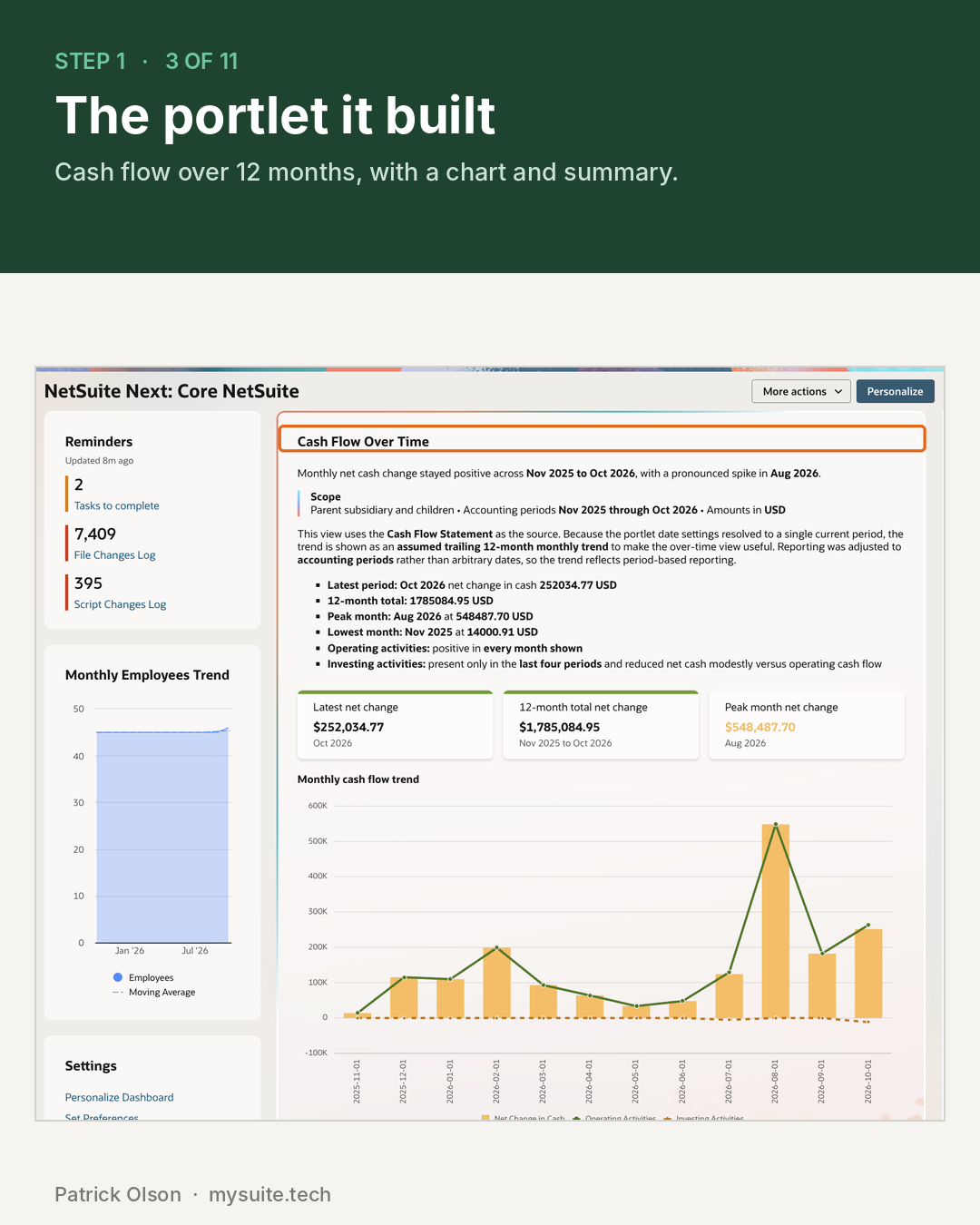
The answer also changed. The first render returned a twelve-month trend with a chart. After the refresh, the same prompt returned current-period figures only. Both are defensible readings of "cash flow over time," which is the problem. A number somebody reports from should not depend on when the page last reloaded, and a figure that does not tie out costs more to chase than it ever cost to produce.
These are five actions in one account on one day, read from Oracle's own counter. They are not benchmarks, and your account will differ. The method is the point: the counter is on the Billing Information page, and anyone can do this in an afternoon before deciding what to switch on.
The Part That Actually Burns a Pool
People are slow. Automation is not.
Oracle is explicit that SuiteApps and custom scripts using generative AI draw on the same pool as humans, specifically naming the SuiteScript Generative AI APIs alongside Text Enhance, Prompt Studio and Ask Oracle. A scheduled script does not get a separate budget.
The arithmetic is worth doing before anyone deploys one. Taking Oracle's own estimate of 5 to 25 units per N/llm call, a script making 500 calls a day spends somewhere between 2,500 and 12,500 units daily. Across a month that is roughly 75,000 to 375,000 units. Set against the 360,000-unit pool in Oracle's own example, one automated job can outspend an entire ten-person company for the whole term.
Treat that calculation as illustrative arithmetic from Oracle's published ranges rather than observed data from any account. The point is the order of magnitude, not the figure.
Two changes since August 2026 sharpen this. The separate free usage pools that N/llm and document capture used to have are gone, so those calls now come out of the main pool. And the option to point NetSuite generative AI at your own Oracle Cloud tenancy has been removed. Scripts that still pass those credentials do not error. The values are simply ignored, and the calls draw down units silently.
If you have existing scripts that call generative AI, that behaviour changed underneath them without anything breaking. Nothing in the account flags it, and the only evidence is a consumption line that was not there before.
Who Controls the Spending
This is the uncomfortable part. There are no quotas.
Oracle documents no per-user, per-role, per-department or per-feature cap. Its own guidance is to manage consumption by monitoring the Billing Information page, reviewing alerts, and educating users. Oracle also states that there is no single account-level switch to disable all AI functionality.
What you do have is access control, which limits spending indirectly:
Ask Oracle is off by default. Roles have no access until an administrator grants it, which makes it the one expensive feature that arrives already contained.
NetSuite Next access is set by role, with roles marked as Next only, optional, or blocked.
Individual features toggle in AI Preferences, including Text Enhance and Narrative Insights. Where a feature has no standalone switch, the lever is roles and permissions.
Effort level changes cost per request. Ask Oracle users pick an effort level, and Oracle states that higher levels increase both response time and unit consumption. That is a user choice, not an administrator setting.
Worth knowing: several features are on by default, including Text Enhance and Narrative Insights, so the starting posture in a fresh account is switched on rather than off. Checking which are live is a different exercise from deciding which should be.
Watching the Meter
Three places show usage:
- Setup, Company, View Billing Information shows account-level consumption including units used in the current month.
- The AI Units usage dashboard breaks consumption down by date, name and feature, which is what you need to find the thing driving a spike.
- In code,
llm.getRemainingUsage()returns the remaining balance, so a script can check before it calls the model. Use it to build your own guard rail, since Oracle does not provide one.
System Notes also gained an AI Used column, though it tracks record changes rather than unit spend.
When It Runs Out
Oracle's answer is one sentence: when a customer runs out of AI Units, they are expected to purchase more or pause any further usage of AI features.
That sentence does not say whether features hard-stop, degrade, or keep running and bill later. Partner write-ups disagree with each other on this point, which is a reasonable signal that nobody outside Oracle knows. Oracle documents no automatic overage billing.
Two add-on packs exist, at 10,000 and 25,000 pooled units. Oracle publishes no price for either. Figures circulate in partner articles, and I am not going to repeat them, because some of those partners sell products positioned as alternatives to AI Units and none of the numbers traces back to Oracle.
Get the price from your own account team, in writing, and ask three questions while you are there: whether packs are a one-time purchase or a monthly cadence, whether your existing contract discounts apply to them, and what actually happens to running features at zero.
Ask before you are near the limit. The commercial conversation arrives after the consumption has already happened, and pack pricing is an easier question to raise with most of the term still ahead of you.
What a Controller Should Do
The honest framing is that this is a small budget with no enforcement, attached to features that are on by default and to automation that can scale without anyone watching.
Name an owner. Somebody has to be accountable for the pool. In most companies that is the controller, because it is a budget, not a system.
Baseline before you expand. Check the usage dashboard monthly and compare actual consumption against a straight-line rate for your term. A 36-month pool spent at twice the straight-line rate runs dry around month eighteen.
Set your own thresholds. Oracle enforces none, so pick a review point, a reserve, and a stop, and write them down. They are only conventions, but conventions you have agreed beat discovering the limit.
Inventory the scripts. Find anything already calling generative AI, particularly anything written before August 2026 that passed its own cloud credentials. Those calls are on your meter now. If you are already building a script inventory for the SuiteScript 2.1 deadline, do both passes at once.
Require an estimate for new automation. Any script, SuiteApp or scheduled agent that calls generative AI should come with a projected unit cost before it is deployed, in the same way a new integration comes with a scope.
Grant Ask Oracle by role. It is off by default, and it sits at the top of the estimates table for cost per request. Start with a named pilot group.
Remember the other failure mode. Unused units expire at term end. A pool nobody touches is value you paid for and did not take. Underuse is not a win, it is just a quieter loss.
Frequently Asked Questions
How many AI Units does NetSuite include?
Oracle provisions 1,000 AI Units per month of term for each eligible user licence, delivered upfront into one account-level pool. A 36-month term with ten General Access users produces 360,000 units available from day one, for the whole term.
Do NetSuite AI Units reset every month?
No. The allowance is calculated per month of term but provisioned upfront as a single pool covering the entire contract. Heavy use early leaves less available later, and unused units expire when the NetSuite term expires rather than rolling over.
Can you set AI Unit limits per user or per department?
No. Oracle documents no per-user, per-role or per-feature quota. Units are shared across the organization and tracked at account level, so spending is controlled indirectly through role access and feature toggles rather than through budgets.
Does using Claude or ChatGPT with NetSuite consume AI Units?
No. Oracle states that the NetSuite AI Connector does not consume AI Units, because the work runs on the external provider rather than inside NetSuite. Your AI provider bills you for it instead, so the cost moves rather than disappearing.
Do custom scripts consume AI Units?
Yes. Oracle states that SuiteApps using generative AI consume units, specifically including the SuiteScript Generative AI APIs. Scheduled automation draws on the same pool as people, and a high-frequency script can consume more than an entire team.
What happens when NetSuite AI Units run out?
Oracle says customers are expected to purchase more or pause any further usage of AI features. It does not document whether features stop immediately or whether any overage is billed, and it publishes no price for the add-on packs, so that is a question for your account team in writing.
Need help with NetSuite?
A shared budget with no enforcement, attached to features that are on by default, is the kind of thing that needs an owner rather than a policy. Setting that up, and inventorying what already calls generative AI in your account, is the sort of work I do between closes.
 By: Patrick Olson 10/28/2026
Read Next - How to Audit a NetSuite Account